
API Quickstart
API Quickstart sits below Logs. It generates example requests from the models available to your selected team.
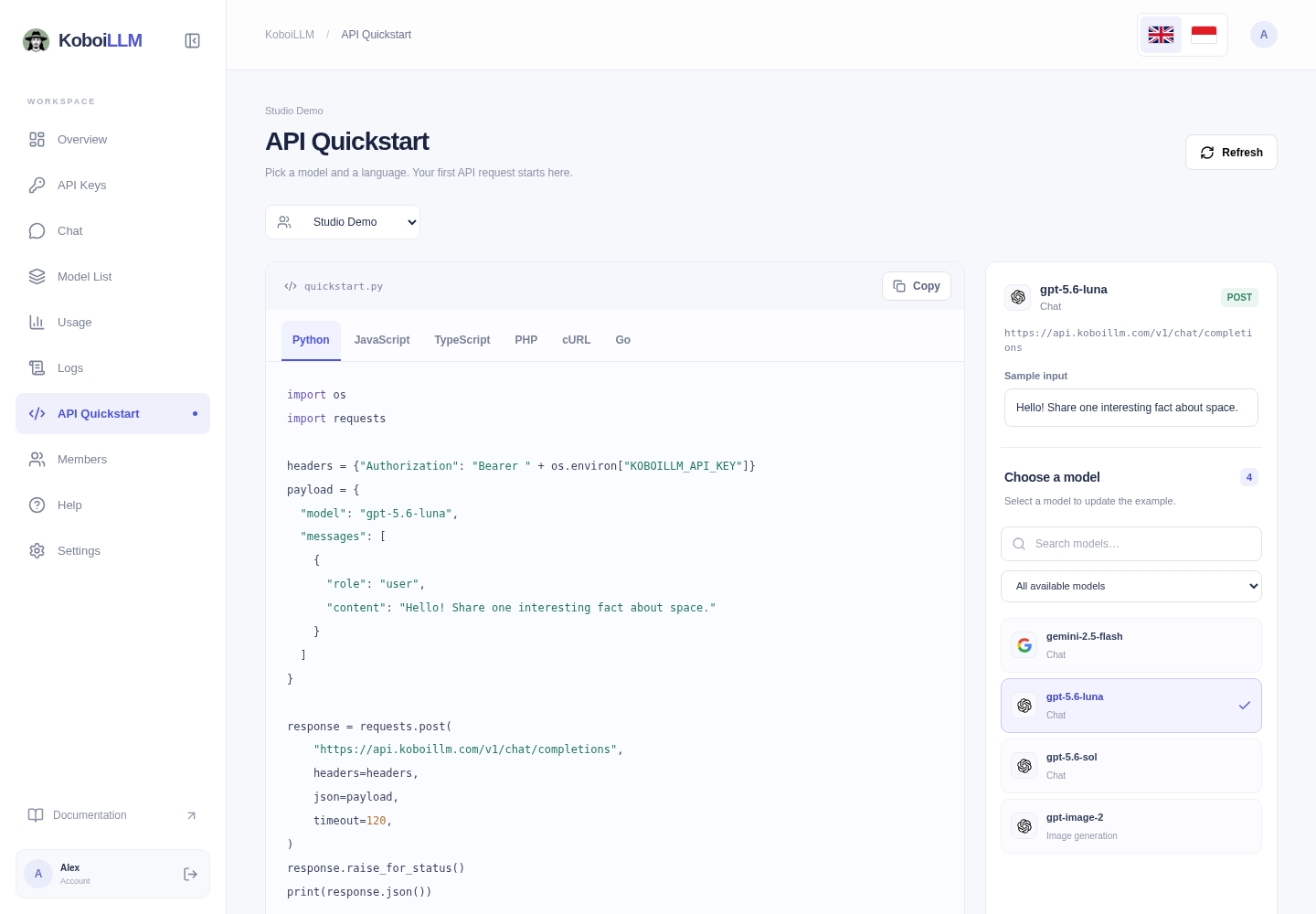
Prepare an example
- Select your team and open API Quickstart.
- Search in Choose a model. Models are alphabetical; the initial selection is
gpt-5.6-lunawhen available, then another chat model or the first model. - Check Model and Endpoint, and edit Sample input as needed.
- Select Python, JavaScript, TypeScript, PHP, cURL, or Go.
- Select Copy and follow the displayed runtime/dependency instructions. Set
KOBOILLM_API_KEYin the environment where you run the code.
export KOBOILLM_API_KEY="sk-xxxxxx"Create the key in API Keys. Your dashboard password is not an API key. Examples use https://api.koboillm.com/v1 as the base URL.
Request types
The endpoint and example follow the model type: chat, Responses, image generation, embeddings, text-to-speech, transcription, or text completion. Specialized APIs may direct you to additional documentation. Transcription needs an audio.wav file; image examples require decoding b64_json as described in the image guide.
Selecting models, editing input, and copying examples do not send inference requests. Running the code consumes API credit. The team catalog does not prove a particular key’s access: check with your key, then review Logs after running the example.