
Dashboard Guide
The KoboiLLM dashboard manages your account, API keys, usage, and teams. Sign in with your existing account and choose a team at the top. Switch languages with the flag buttons at the top; on mobile, open the menu to see navigation.
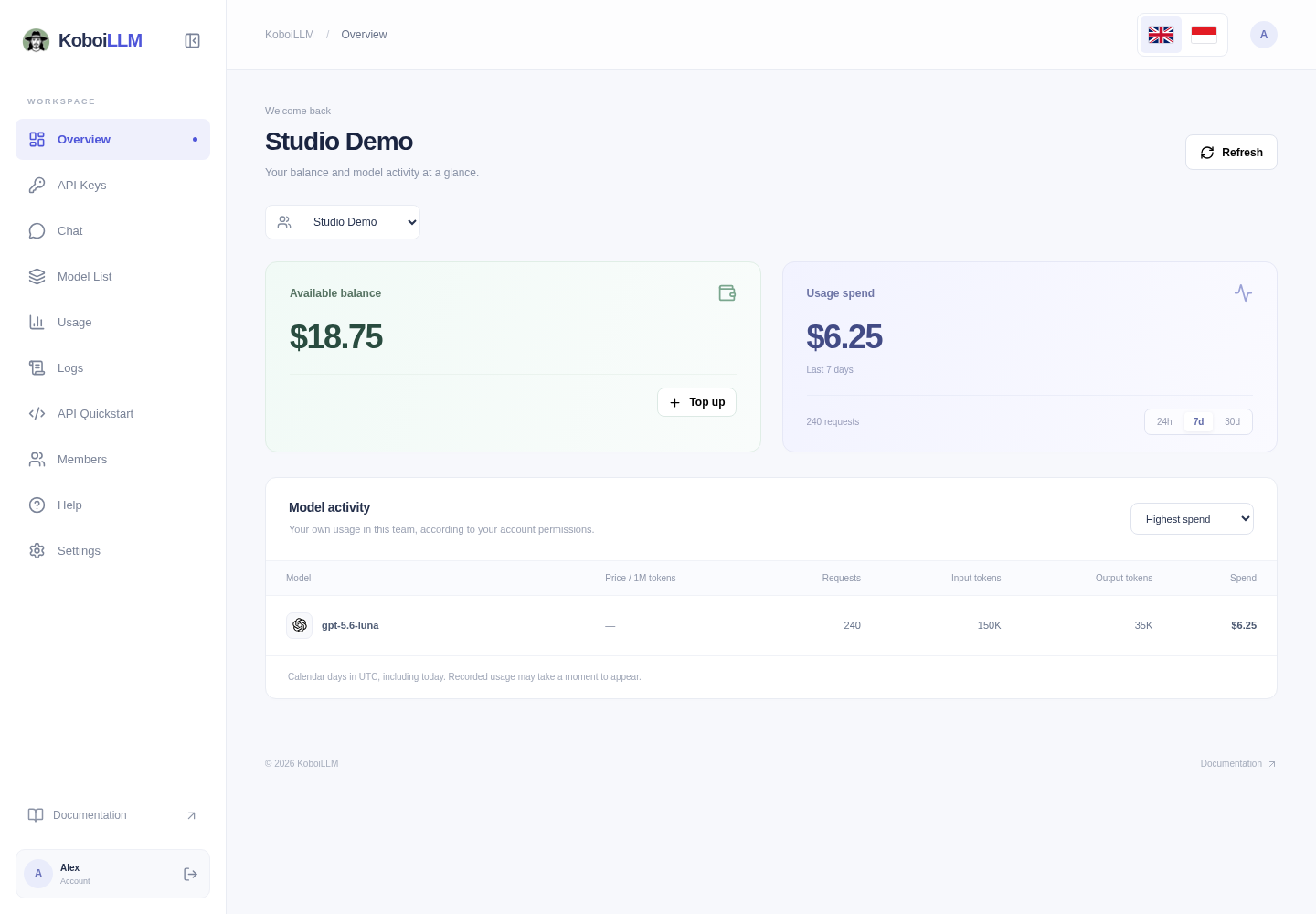
Find the right page
| English menu | Indonesian menu | Guide |
|---|---|---|
| Overview | Ringkasan | Balance, requests, tokens, and model activity |
| API Keys | API Key | Create keys, choose model access, and manage permitted actions |
| Chat | Chat | Chat using an API key you enter |
| Model List | Daftar Model | Search models and inspect price/context metadata |
| Usage | Penggunaan | Charts and activity by model |
| Logs | Log | Individual requests and recorded charges |
| API Quickstart | Contoh Kode | Examples in six programming languages/formats |
| Members | Anggota | Invitations, Team Admins, and member budgets |
| Help | Bantuan | Documentation, support, and API base URL |
| Settings | Pengaturan | Profile, password, and language |
Make your first request
- Activate your account or sign in.
- Choose a team, check its balance, and create an API key.
- Check the models available to your key.
- Try Chat or copy an API Quickstart example.
- Review Usage and Logs after the request finishes.
Service addresses
| Purpose | Address |
|---|---|
| Sign-in and account management | https://dashboard.koboillm.com |
| OpenAI-compatible client base URL | https://api.koboillm.com/v1 |
| Documentation | https://docs.koboillm.com |
Existing integrations can continue using https://lite.koboillm.com/v1. The new login page links to the legacy dashboard when needed. These written guides follow the new interface; older videos may show different menu labels.
Your permissions determine which data and actions appear. Team Admins manage their assigned team’s members; they are not platform administrators. See Members & Budgets.